

Meet ShapedGallery, the most advanced WordPress media gallery plugin.
ShapedGallery is designed to create beautiful image galleries on your WordPress website without touching any code. It is perfect for photographers, designers, bloggers, and agencies.
ShapedGallery covers the ground most gallery plugins leave open.
You get three responsive layouts, ready-made patterns to start from, video support, a modern accessible lightbox, and detailed styling controls for captions, borders, and hover states.
Private and password-protected galleries handle client work and members-only content, while the Saved Galleries dashboard keeps everything organized in one place.
A Visual Picker for Instant Results
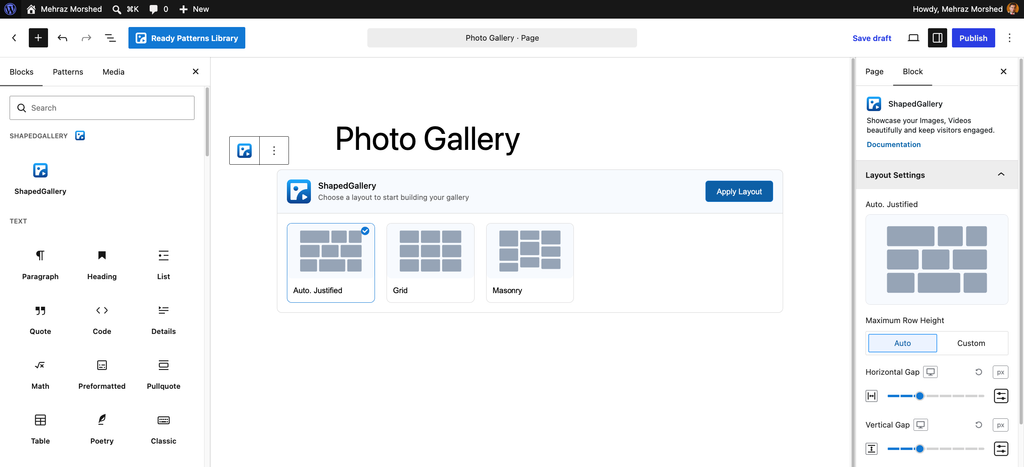
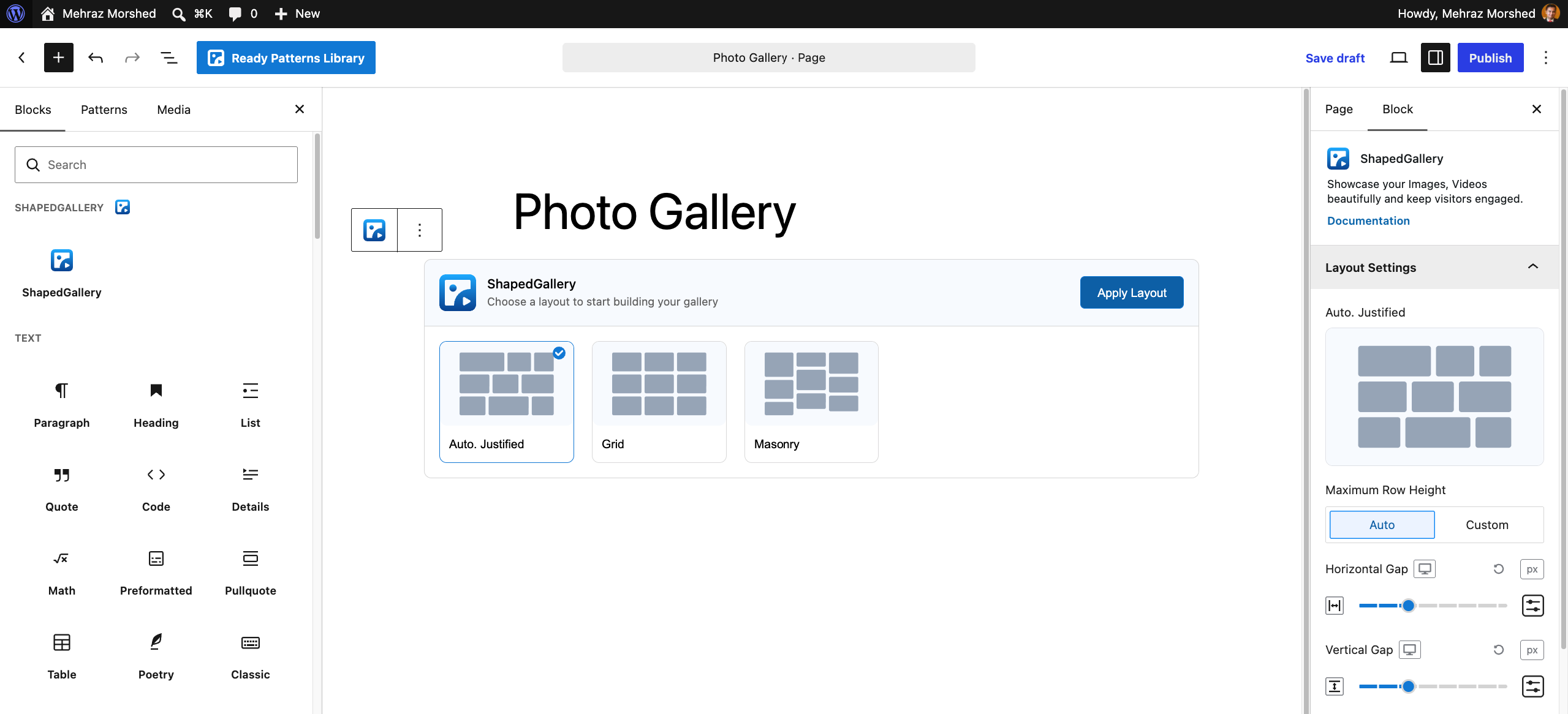
Most gallery plugins force you to work in a separate settings screen. You make changes and then guess how the final result will look. ShapedGallery works differently. It works directly inside the WordPress block editor you already use.
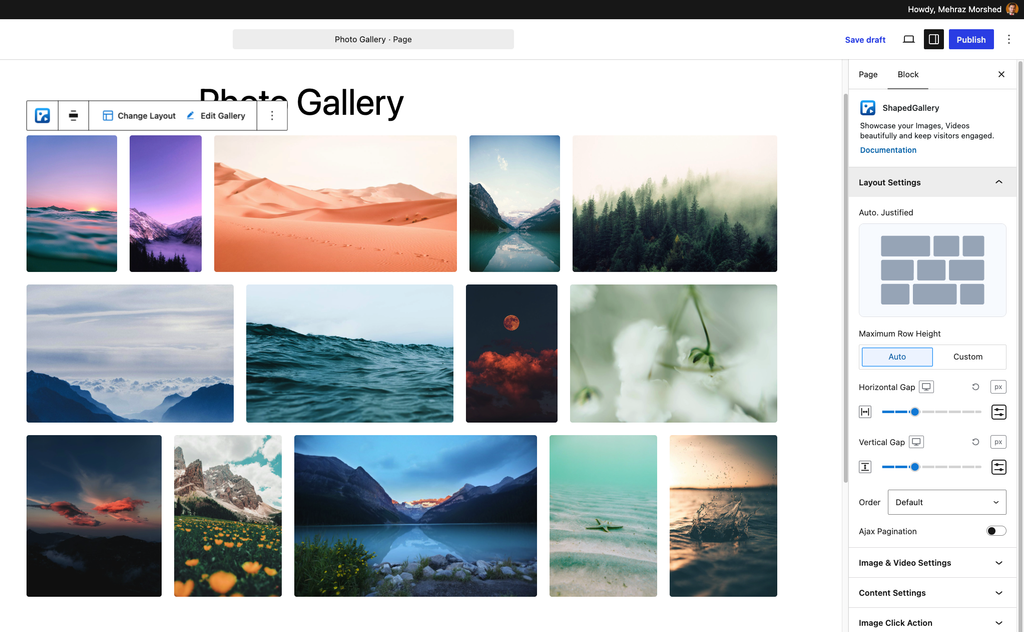
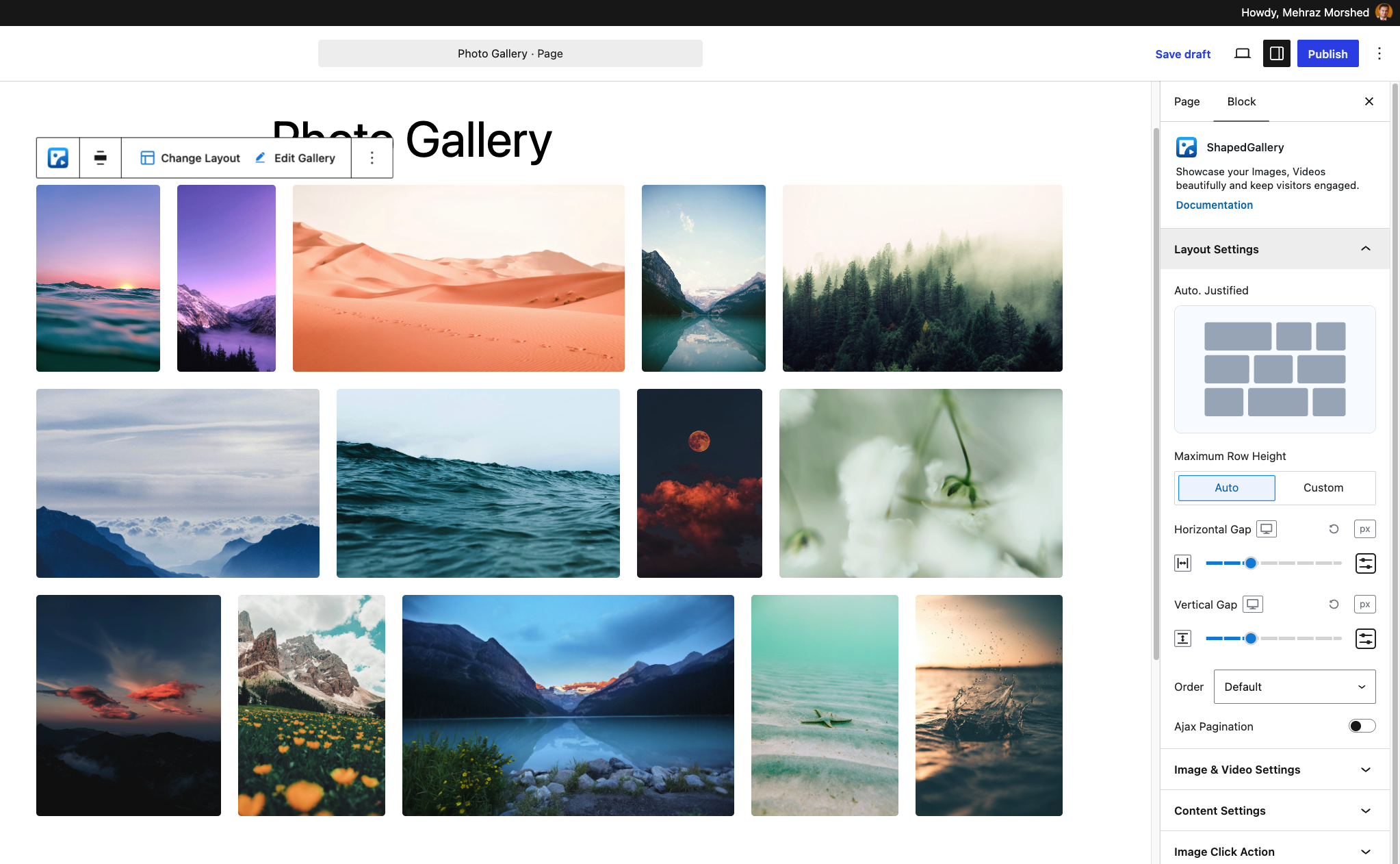
You simply add the ShapedGallery block and choose a layout. The plugin shows you a live preview right away. What you see in the editor is exactly what your visitors will see on desktop, tablet, and mobile. You can switch between layouts at any time without having to re-add your images.
Three Responsive Layouts to Choose From
ShapedGallery gives you three distinct gallery layouts, each suited to different types of content:
Justified Gallery — Rows of equal height with image widths balanced so every row fills the space edge to edge. This is the best choice for photographs of mixed sizes and orientations, and nothing gets cropped.
Grid Gallery — Equal tiles in a set number of columns. A clean, tidy look for portfolios, products, team photos, and logos.
Masonry Gallery — Pinterest-style columns of different heights with the gaps closed, so tall and wide images sit together naturally.
Every layout is fully responsive. You can set columns and spacing separately for desktop, tablet, and mobile so your gallery looks right on every screen.
Video Galleries, Not Just Photos
ShapedGallery is not limited to images. You can mix photos and videos in the same gallery, or build a video gallery on its own. Add videos from your Media Library, external videos by URL, or YouTube videos. Videos open in the same lightbox as your images, so visitors get one smooth viewing experience.
Ready Patterns: Start With a Designed Gallery
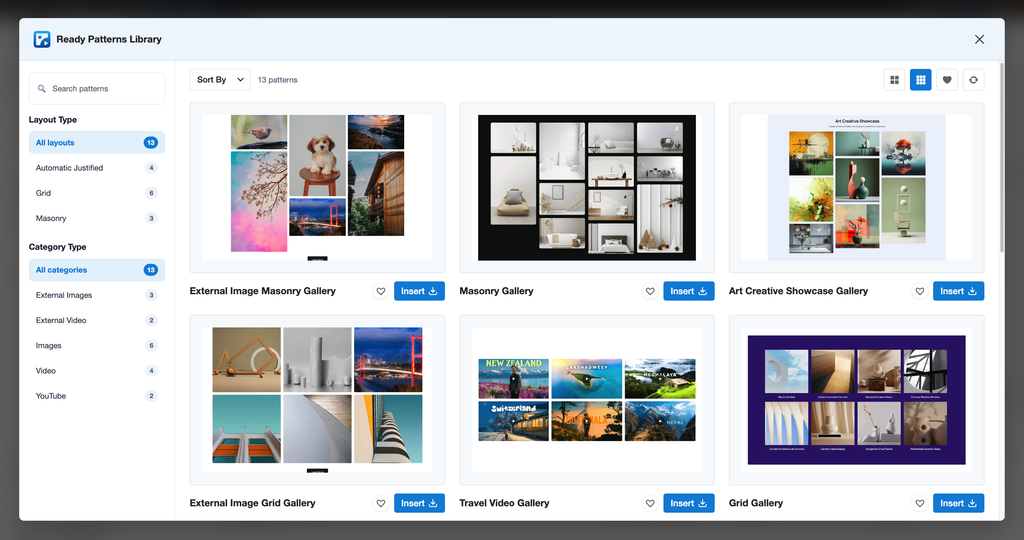
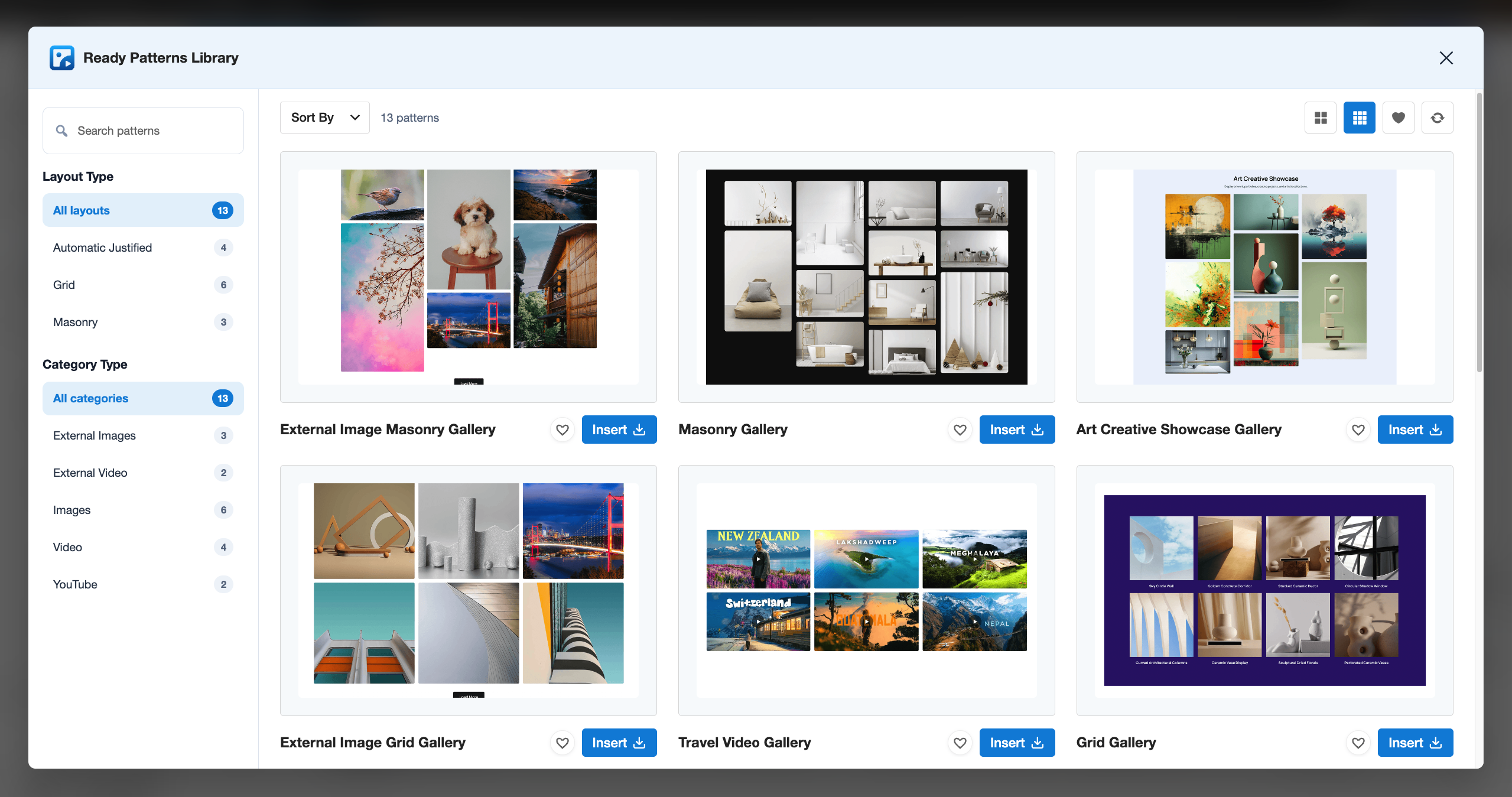
Not sure where to begin? Open the Ready Patterns library, preview a design, and insert it with one click. Patterns are grouped by layout, and each one stays fully editable, so you just swap in your own photos. You can open the library from the block toolbar, the editor header, or the dashboard.
A Built-in Lightbox That Feels Modern
Let visitors view your photos full size without leaving the page. The lightbox is built on the browser’s own dialog element, so it’s fast and accessible. It includes:
Customize Every Detail
ShapedGallery gives you control over how your galleries look without requiring any code:
You can also hide a gallery on desktop, tablet, or mobile if you need different content for different devices.
Fast Performance and Better SEO
ShapedGallery is built for speed. Every gallery is rendered on the server as clean HTML. This means your images load with the rest of the page instead of jumping into place later. Search engines can easily read your images, titles, and captions like any other content.
The plugin is lightweight. Scripts and styles load only on pages where a gallery actually appears. Pages without a gallery load none of the plugin’s files at all.
Additional performance features include:
This keeps your site fast for every visitor.
Private and Password-Protected Galleries
Share photos with only the right people. Each gallery can be public, private, or password-protected. This is handy for client galleries, event photos, and member-only content.
Works With Gutenberg and Popular Page Builders
ShapedGallery is a native Gutenberg block. Every saved gallery also has a shortcode you can use in the Classic Editor, widgets, and theme templates.
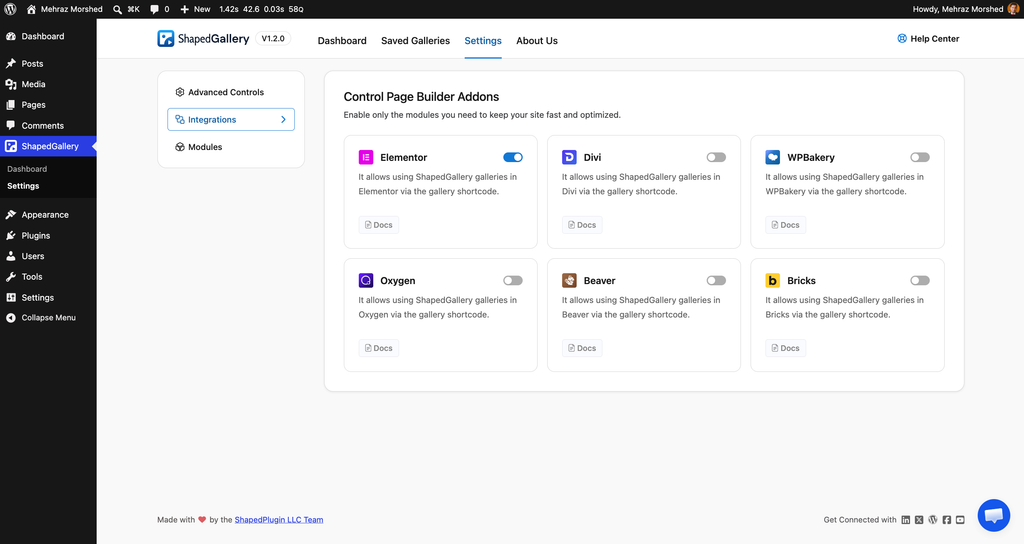
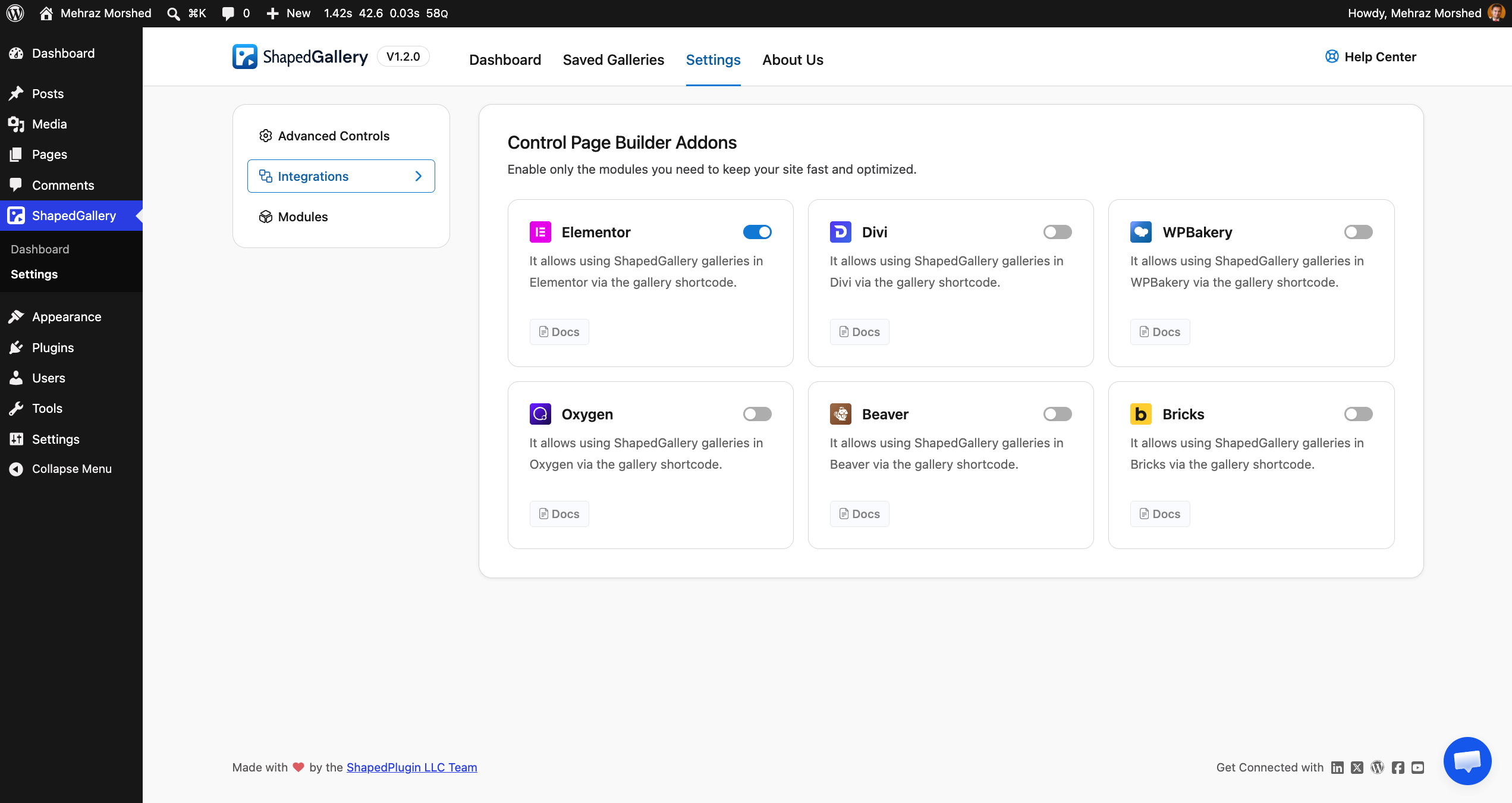
Dedicated elements are included for Elementor, Divi, Bricks, Oxygen, Beaver Builder, and WPBakery. Elementor is on by default. You can turn on the others in ShapedGallery Settings → Integrations.
Because every gallery gets a shortcode, you can build once and use it anywhere. Edit the gallery once and it updates on every page that uses it — there is no re-sync step.
Manage All Your Galleries in One Place
The Saved Galleries dashboard lets you search, copy shortcodes, duplicate, and perform bulk actions on your galleries. You can also turn modules on or off site-wide — Lightbox, Image Custom URL, and Ready Patterns — depending on what you need.
ShapedGallery is also multisite-compatible, translation-ready, and accessible with full keyboard support.
Start Building in Seconds
Getting started is easy. Go to the ShapedGallery Dashboard and click Create New Gallery — or click Use Ready Patterns to start from a design. Alternatively, add the ShapedGallery block to any post or page. Pick a layout, add your images and videos, and publish.
Ready to try it? Install ShapedGallery, add the block to any page, and build your first gallery in seconds.
Leave a Reply